Web Traffic Bot vs CTRTool: CTR Tool Features Compared
You are comparing two tools that both promise more clicks, but they work very differently. One focuses on controlled search visits with proof, the other on volume. Choosing wrong wastes budget and skews your analytics.
This comparison breaks down CTRTool and Web Traffic Bot feature by feature: campaign coverage across Google, Bing, Maps and AI Overviews, screenshot verification, keyword and location targeting, visit control, and pricing. By the end, you will have a clear verdict on which tool fits your goals.
Quick Verdict: Web Traffic Bot vs CTRTool
If you need verifiable, screenshot-backed CTR campaigns for Google, Bing, Maps, and AI Overviews, CTRTool is the specialist; if you want broad, multi-source automated traffic for general engagement metrics, Web Traffic Bot is the generalist. The two tools solve different problems, and that difference shapes every feature below.
CTRTool is built around proof. Every visit produces search and landing screenshots as separate proof images, and full visit paths are recorded alongside keyword positions tracked over time, including Maps listing order and AI citation order. Its pay-for-results credit model means no credits are charged for technical failures before landing, and visits that cannot verify the requested location use no credits.
Web Traffic Bot, as advertised, leans toward automated traffic generation across multiple sources. Vendors in this category typically emphasize volume and source variety, with proxy support, user agent rotation, and similar controls. Those features matter for raw engagement metrics, though verifiable click-through rate proof is not typically the headline claim.
The table below summarizes the core differences in focus, proof, targeting, and pricing model. Competitor details are kept general because published specs vary by vendor and plan.
| Aspect | CTRTool | Web Traffic Bot |
|---|---|---|
| Core focus | CTR campaigns with proof for search, Maps, and AI Overviews | Broad automated traffic generation across multiple sources, as advertised |
| Proof | Search and landing screenshots as separate proof images, plus full visit paths | Typically reporting dashboards or logs, not screenshot proof per visit |
| Targeting | Keywords with positions tracked over time, including Maps listing order and AI citation order | General traffic mix, often with proxy and geotargeting options |
| Pricing model | Pay-for-results credits, no charge for technical failures before landing, one shared balance | Subscription or package pricing, varies by vendor |
Scale and flexibility favor CTRTool for campaign work. You get up to 100 campaigns with 100 keywords each, visits up to 5 minutes with up to 5 additional internal pages, and unused credits roll over while subscribed. A single credit balance is shared across all campaign types, websites, and keywords, which keeps budgeting simple.
Choose CTRTool if you need defensible click-through rate evidence tied to specific keywords and locations. Choose Web Traffic Bot if your priority is broad, multi-source automated traffic for general engagement metrics rather than per-visit proof.
At a glance: how CTRTool compares to Web Traffic Bot on the features that matter most.
| Feature | CTRTool | Web Traffic Bot |
|---|---|---|
| Pricing | $59-$699/mo | — |
| Free plan / trial | ✗ | — |
| Platform / deployment | Online SaaS | Windows software + VPS |
| Multi-language support | — | 7 languages |
| Proxy / fingerprint support | — | ✓ |
| Scheduled / looped tasks | ✓ | ✓ |
| Visit configuration controls | ✓ | ✓ |
| Screenshot proof per visit | ✓ | — |
What Is CTRTool?
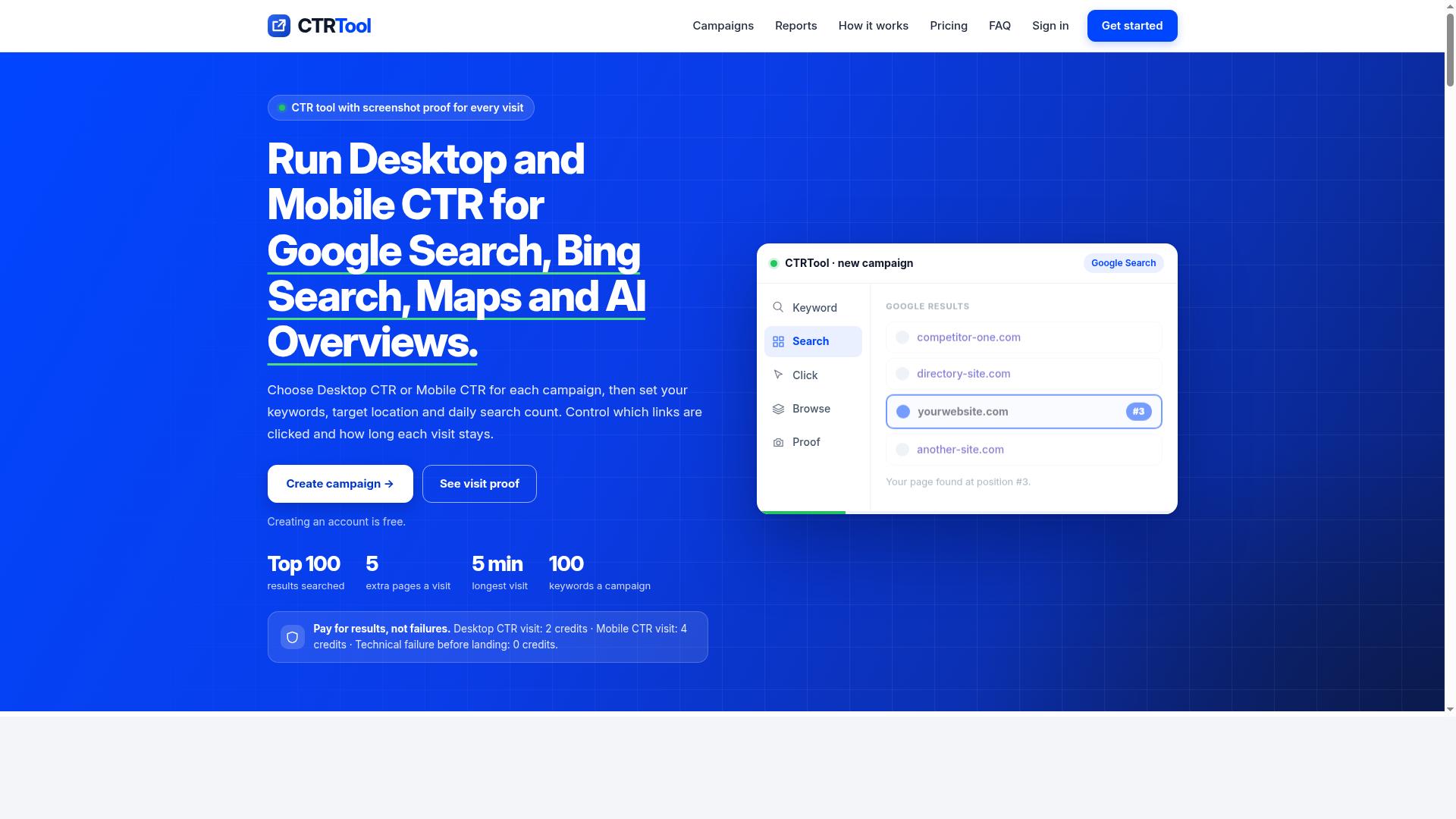
CTRTool is a CTR campaign tool that runs Desktop and Mobile click-through campaigns for Google Search, Bing Search, Google Maps, and AI Overviews, providing screenshot proof for every visit. It is a global online service, so campaigns can be pointed at chosen countries, states, or cities rather than a single home market.
In plain terms, CTRTool is a CTR tool built around one job: generating controlled click-through activity on the search surfaces where rankings and visibility are decided. Each campaign is configured by the user, not run as a black box.
That user control is the defining trait. Campaigns are set up around specific keywords, a target location, and a daily search count, and users decide which links get clicked and how long each visit stays. The Desktop or Mobile choice is made per campaign, so a single account can run both formats side by side.
CTRTool is also upfront about limits. The site states plainly that automated visits do not guarantee rankings. That honesty matters in a category where inflated promises are common, and it frames the tool as a way to shape click-through rate signals rather than a shortcut to guaranteed positions.
For readers weighing a web traffic bot against a dedicated CTR tool, the distinction is focus. CTRTool is not a general traffic generation product. It targets search engine traffic on named platforms, with proof attached to each visit.
What Is Web Traffic Bot?
Web Traffic Bot is a general-purpose automated traffic generation tool designed to send bot traffic to websites from multiple sources such as search engines, social media, direct, and referral. It is typically positioned as traffic generation software that simulates visits, aiming to influence metrics like unique visitors, session duration, bounce rate, and conversion rate.
The core idea is to make a site's analytics profile look more active. Instead of relying only on organic traffic, the tool generates automated traffic that mimics how real visitors might arrive from different channels.
Capabilities vary widely by provider and plan. Some setups emphasize proxy support and IP rotation, while others focus on referrer spoofing or geotargeting. Not every version of this kind of software offers the same controls, so the exact feature set depends on the specific product you are looking at.
It is worth treating these tools as one category within a broader SEO tool comparison. What they do, and how well they do it, changes from one offering to the next, which is why checking the actual feature list matters before drawing conclusions.
Features Compared
This section compares CTRTool and Web Traffic Bot across campaign coverage, proof and verification, and targeting and visit control, the three areas that most affect campaign reliability and measurability.
Campaign coverage determines which surfaces a tool can reach, from classic search results to Maps listings and AI Overview citations. Proof and verification decide whether a visit can actually be audited rather than taken on trust. Targeting and visit control shape how precisely each session matches the keyword, device, and location you intended.
Each sub-section below details CTRTool's documented capabilities and describes Web Traffic Bot's typical offerings in general terms, so you can weigh a purpose-built CTR tool against a broader web traffic bot.
Campaign Coverage: Google, Bing, Maps and AI Overviews
CTRTool supports four distinct campaign types, Google Search CTR, Bing Search CTR, Google Maps CTR, and AI Overview campaigns, each with specific eligibility rules such as top 100 organic results for search and up to 50 listings for Maps.
Google Search CTR campaigns target a search keyword and click the organic result on Desktop or Mobile, drawing from the top 100 results and supporting internal pages. Bing Search CTR works the same way on Bing. Google Maps CTR finds a business listing among up to 50 listings, roughly five pages of results, and clicks its website link. AI Overview campaigns require a matching citation before a source link is clicked.
Web Traffic Bot typically offers traffic from search engines, social media, direct, and referral sources. That breadth suits general traffic generation software use, but specific claims about Maps or AI Overview support should be checked per provider.
| Campaign Type | CTRTool (documented) | Web Traffic Bot (general) |
|---|---|---|
| Google Search CTR | Keyword and organic result click, Desktop or Mobile, top 100 results, internal pages | Search engine traffic is typically offered, specifics vary |
| Bing Search CTR | Same keyword and result click model as Google, on Bing | May be available depending on provider setup |
| Google Maps CTR | Finds the business listing among up to 50 listings and clicks its website link | Not typically documented as a distinct campaign type |
| AI Overview CTR | Finds the website in the overview and clicks its source link, citation order tracked | Not typically documented as a distinct campaign type |
Proof and Verification: Screenshot Evidence for Every Visit
CTRTool provides screenshot proof for every visit, including separate search and landing screenshots, full visit paths, and keyword position tracking over time, including Maps listing order and AI citation order.
Because the search screenshot and the landing screenshot are captured as separate proof images, you can confirm both that the keyword was entered and that the target page actually loaded. Full visit paths show where each session went, including scrolling and any additional internal pages. Position tracking over time adds a trend view rather than a single snapshot.
This combination supports auditing and client reporting. If a stakeholder questions whether a campaign ran as described, the evidence is already on file. That level of traceability is a documented differentiator for CTRTool compared with bot traffic tools built mainly around volume.
Web Traffic Bot's verification features vary by provider and may include basic reporting or analytics integration. Those options can be useful for gauging session duration and bounce rate trends, but they generally do not amount to per-visit proof of the kind described above. Buyers comparing tools should ask specifically what evidence accompanies each visit before committing.
Targeting and Visit Control: Keywords, Location and Daily Search Count
CTRTool lets users choose Desktop or Mobile CTR per campaign, set keyword-level targeting, and define location by country, state, and city, or select 'Any country' to mix supported locations.
Campaigns require the page to appear within the top 100 organic results for the chosen keyword and location, which keeps activity tied to realistic SERP visibility. Daily search counts can be scheduled with now, spread out, or gap timing across chosen days, hours, and time zones, with daily goals resetting at 00:00 UTC. Each campaign supports up to 100 keywords, and a single credit balance is shared across all campaign types, websites, and keywords.
Web Traffic Bot typically offers proxy support, user agent rotation, IP rotation, and geotargeting options. These are common ingredients in automated traffic setups, though exact limits and controls should be confirmed with each provider.
| Targeting Feature | CTRTool (documented) | Web Traffic Bot (general) |
|---|---|---|
| Device selection | Desktop or Mobile chosen per campaign | Varies by provider |
| Keyword targeting | Keyword-level targeting, up to 100 keywords per campaign | Typically offered in some form |
| Location targeting | Country, optional state and city, or 'Any country' | Geotargeting options commonly mentioned |
| Daily search scheduling | Now, spread out, or gap timing with days, hours, and time zone | Not typically documented in this detail |
| Network controls | Managed proxy routes matched to target location | Proxy support and IP rotation typically offered |
The practical difference is control over how each visit is composed. CTRTool ties device, keyword, location, and timing settings to a single campaign definition, so a feature comparison against general-purpose traffic tools tends to favor it on precision and measurability.
Pricing Compared
CTRTool publishes monthly USD plans, Starter at $59/month for 2,000 credits (up to 1,000 Desktop CTR visits or 500 Mobile CTR visits) and Growth at $125/month for 5,000 credits (up to 2,500 Desktop or 1,250 Mobile visits), while Web Traffic Bot's pricing is not publicly detailed here and should be verified directly with the provider.
The key difference is transparency. CTRTool lists every plan, credit count, and visit equivalent on its site, so you can calculate cost per visit before you commit. With Web Traffic Bot, you would need to confirm current rates, billing terms, and what counts as a billable unit on the vendor's own pages.
Credits do not convert evenly across device types. A Desktop CTR visit costs 2 credits, while a Mobile CTR visit costs 4 credits, so the same plan buys half as many mobile visits. That matters if your keyword targeting leans toward mobile-heavy search results.
| Plan | Price | Credits | Visit Equivalents |
|---|---|---|---|
| CTRTool Starter | $59/month | 2,000 | Up to 1,000 Desktop CTR visits or 500 Mobile CTR visits |
| CTRTool Growth (Recommended) | $125/month | 5,000 | Up to 2,500 Desktop or 1,250 Mobile visits |
| Web Traffic Bot | Varies, check vendor | Not stated here | Not stated here |
Two more CTRTool details affect real cost. A verified search without a match costs 1 credit, and a technical failure before landing costs 0 credits, so you are not charged full price for a visit that never reached your page. Unused credits also roll over while your subscription is active, though they expire when a cancellation takes effect.
Larger campaigns have room to scale. CTRTool also offers Scale at $399/month for 20,000 credits (up to 10,000 Desktop or 5,000 Mobile visits) and Agency at $699/month for 40,000 credits (up to 20,000 Desktop or 10,000 Mobile visits). Creating an account is free, and the site notes that prices rise 30% on November 15.
For a fair side-by-side, ask Web Traffic Bot's provider how its plans map to actual visits, whether unused volume carries over, and how failed sessions are billed. Without that breakdown, comparing headline prices alone can mislead. CTRTool's published credit rules make that math straightforward from the start.
Who Should Choose CTRTool
CTRTool is best suited for SEO practitioners and agencies running CTR campaigns for their own or client websites across Google Search, Bing Search, Google Maps, and AI Overviews, especially when verifiable proof is required. The platform is built around keyword-level and location-level control, with a Desktop or Mobile choice for each campaign, so the person running it can match how real searchers actually find a page.
That profile matters because a generic web traffic bot usually sends visitors with no connection to a query, a device, or a place. CTRTool instead treats a CTR campaign as a search visibility task, which is why the fit below leans toward people who answer to a client or report on rankings.
If your work looks like any of the following, CTRTool is likely the stronger choice.
- You need client-ready proof. You have to show that a Maps listing appeared for a city-level keyword, and a screenshot of that result is what closes the conversation. CTRTool's screenshot proof gives you something to hand over, while a web traffic bot leaves you with analytics numbers and no visual record of the search result.
- You are targeting Maps listings or AI Overview citations. These placements depend on where a searcher is and which device they use, so location-level and Desktop/Mobile control are the levers that matter. A traffic bot aimed at raw visit counts does not give you that granularity.
- You manage campaigns for multiple clients. Agencies need keyword-level control so each property gets its own targeting rather than a shared stream of automated traffic. The site's guidance also mentions using tier links, PBNs, and test properties, which fits an agency workflow that separates client sites from supporting assets.
- You report on organic performance. When the goal is ranking improvement and SERP visibility across Google Search, Bing Search, Google Maps, and AI Overviews, the campaign has to reflect search engine traffic rather than social media traffic, direct traffic, or referral traffic. CTRTool is scoped to that search-side job.
The common thread is accountability. SEO practitioners and agencies who must justify spend and show movement on specific keywords get more from a CTR tool than from traffic generation software that produces volume without context. Teams that only want a stream of unique visitors for general engagement metrics are a different audience, and this platform is not positioned for them.
Who Should Choose Web Traffic Bot
Web Traffic Bot may suit users who want broad, multi-source automated traffic, spanning search, social, direct, and referral, to influence general engagement metrics rather than verifiable CTR campaigns. Where a CTR tool centers on proving that real users clicked a specific result, a traffic bot typically prioritizes raw volume and source variety.
That difference shapes who gets value from each approach. If your goal is a wider mix of traffic sources feeding top-of-funnel numbers, a bot may look appealing. If your goal is defensible click-through rate data tied to keyword targeting, the priorities shift toward proof over volume.
As advertised, these tools often emphasize breadth: many visits arriving from many places. That can be useful for stress-testing dashboards or observing how analytics respond to shifts in bounce rate and session duration. It is less useful when stakeholders ask which real users engaged with which result.
Consider these scenarios where Web Traffic Bot may be the more natural fit:
- Testing analytics thresholds. You want to see how a property registers changes in bounce rate or average session length, and broad automated traffic is enough to observe the reaction.
- Simulating source diversity. You need visits that appear to arrive from search, social, direct, and referral channels to check how segmentation rules behave.
- Volume-first experiments. The priority is a large number of sessions rather than a documented path from query to click.
- Early-stage exploration. You are still deciding which metrics matter and want a low-commitment way to watch dashboards move before investing in a proof-centric workflow.
The common thread is a preference for breadth over traceability. Users who mainly want to nudge engagement numbers, or who treat analytics as a sandbox, may find that trade-off acceptable. Those who need to show a client or manager that a specific keyword earned real clicks usually want evidence a bot is not built to provide.
Final Verdict
For campaigns that demand auditable proof and precise targeting across Google, Bing, Maps, and AI Overviews, CTRTool's screenshot-per-visit model and documented pricing make it the more transparent choice; Web Traffic Bot remains a generalist option for broad traffic generation. The two tools answer different questions. One asks whether a visit can be verified. The other asks whether traffic volume can be produced from many sources.
CTRTool is built around proof. Every visit carries a screenshot as evidence, and campaigns can be reviewed through full visit paths and position tracking. That record matters when a client, stakeholder, or internal team needs to confirm what actually happened during a campaign.
Web Traffic Bot is positioned as a multi-source traffic generator. In this comparison, however, it does not offer documented proof of individual visits. That is a meaningful gap for anyone who needs to justify spend or report on outcomes with confidence.
The practical difference comes down to four points:
- Screenshot proof per visit: CTRTool documents each visit rather than reporting aggregate numbers alone.
- Full visit paths: campaigns can be reviewed as a sequence, not a single data point.
- Position tracking: ranking movement sits alongside the traffic record.
- Campaign specificity: targeting is tied to defined search surfaces, including Google, Bing, Maps, and AI Overviews.
Pricing follows clear tiers, so the cost of a campaign is stated up front rather than negotiated or estimated. For teams comparing traffic generation software, that transparency makes budgeting and approval simpler.
A generalist tool may still suit broad traffic generation where verification is not a priority. Readers weighing a CTR tool against a web traffic bot should decide which matters more: volume from many sources, or a documented record for every visit.
To ask questions about features, pricing tiers, or account setup, contact support at vaibhav@autoblogging.ai. A new account can be created at ctrtool.com.
Frequently Asked Questions
What is the main difference between Web Traffic Bot and CTRTool?
Web Traffic Bot (TrafficBotPro) is Windows software focused on broad website automation for traffic, SEO and ad workflows. CTRTool is a SaaS CTR campaign tool built specifically for search and map platforms: it runs Desktop and Mobile CTR campaigns for Google Search, Bing Search, Maps and AI Overviews, and provides screenshot proof for every visit. If your goal is targeted CTR campaigns with verifiable visits, CTRTool is purpose-built for that job.
Does CTRTool provide proof that visits actually happened?
Yes. Screenshot proof for every visit is CTRTool's core selling point, with search and landing screenshots provided as separate proof images. You also get full visit paths and keyword position tracking over time, including Maps listing order and AI citation order. This level of verification is not something the researched Web Traffic Bot materials describe.
Which platforms does each tool support?
CTRTool runs campaigns across Google Search, Bing Search, Google Maps and AI Overviews, with Desktop or Mobile CTR chosen per campaign. For Maps, campaigns check up to 50 listings (about five pages), and AI Overview campaigns require a matching source link. Web Traffic Bot is positioned as general website automation software rather than a platform-specific CTR campaign tool, so check its documentation for the specific platforms it covers.
How does CTRTool pricing work compared with Web Traffic Bot?
CTRTool publishes clear monthly USD plans: Starter at $59/month for 2,000 credits (up to 1,000 Desktop or 500 Mobile CTR visits) and Growth at $125/month for 5,000 credits (up to 2,500 Desktop or 1,250 Mobile visits). Credits are pay-for-results, so you spend them on actual visits. Web Traffic Bot's pricing is not stated in the sources we reviewed, so we can't make a direct cost comparison - check their site for current plans.
Can I target specific countries, states or cities with CTRTool?
Yes. CTRTool lets you target a chosen country and optionally a state and city, or select "Any country" to use a mix of supported locations. It's a global online service with no country restrictions stated. This location targeting applies to your keywords and campaign settings, which matters for local SEO and Maps campaigns in particular.
Who is each tool best suited for?
CTRTool is aimed at SEO practitioners and agencies running CTR campaigns for their own or client websites, with guidance on using tier links, PBNs and test properties. It suits users who want platform-specific campaigns (Google, Bing, Maps, AI Overviews) with screenshot proof and position tracking. Web Traffic Bot, as Windows automation software, may appeal to users who want a desktop-based automation toolkit - the right choice depends on whether you need verifiable, platform-targeted CTR campaigns or general automation.