Slack Automation: What to Look for in an AI Task Automation Tool
You picked Slack for team communication, yet tasks still slip through threads, DMs, and status meetings. The disconnect between chat and task management costs real hours every week, and it is why you are comparing automation tools now.
By the end of this article, you will know the three core capabilities that separate useful Slack automation from basic bots: natural language input, channel integration, and smart workflow triggers. You will also see how five tools stack up against those criteria, including our pick for best overall, so you can make a decision without trial-and-error testing.
What to Look For in an AI Task Automation Tool
Before comparing specific tools, it's essential to understand the core capabilities that separate a genuinely useful AI task automation tool from a gimmick. A tool that looks impressive in a demo can fail completely when dropped into a busy Slack workspace with real workflows and real deadlines.
The right AI task automation tool should reduce friction, not add another layer of complexity. It needs to understand how your team communicates, connect to the platforms you already use, and handle the repetitive work that eats up productive hours.
When evaluating options, focus on four core areas: how the tool understands language, how well it integrates with existing channels, the depth of its automation features, and whether it can scale as your team grows. These criteria form the foundation for everything else.
Keep in mind that the best tool for your team is one that feels invisible. If team members have to change their behavior or learn a new system, adoption will stall. Look for tools that work the way your team already works.
Natural Language and Voice Input Capabilities
A tool's ability to understand natural language and voice commands determines how quickly your team can turn thoughts into tasks. Instead of filling out forms or navigating complex menus, users should be able to type or speak a request in plain English and have the tool interpret it correctly.
Natural language processing, or NLP, is the technology that makes this possible. When someone types "remind me to follow up with the client tomorrow at 2 PM," the tool should parse the action, the subject, and the timing without requiring structured commands or special syntax.
Machine learning plays a critical role in improving accuracy over time. As the tool processes more requests, it learns from corrections and patterns, getting better at understanding your team's specific vocabulary and context. This means fewer misparsed tasks and more reliable automation.
Common phrases a good tool should handle include:
- "Schedule a meeting with the design team for Thursday"
- "Move the project deadline to Friday and notify everyone"
- "Create a task to review the Q3 budget report"
Voice input adds another layer of convenience for teams on the go. Dictating a task while commuting or between meetings can capture ideas before they slip away. The tool should treat voice input with the same parsing accuracy as typed text.
Integration With Existing Communication Channels
The best automation tool is one that fits seamlessly into the channels your team already uses daily, such as Slack or WhatsApp. Integration reduces friction and removes adoption barriers because team members don't need to learn a new interface or switch contexts to create and manage tasks.
Some tools are native to a single platform, meaning they live entirely inside Slack and work only there. Others offer multi-channel support, allowing teams to manage tasks across Slack, Microsoft Teams, and other messaging apps from one place. Consider which approach matches how your team actually communicates.
Slack API compatibility is especially important for teams heavily invested in the platform. A tool that connects deeply with Slack channels and direct messages can pull context from conversations, turning discussions into actionable tasks without copying and pasting.
Beyond messaging platforms, look for integration with third-party apps your team relies on. Calendar apps, project management software, CRM systems, and file storage services should all connect smoothly. The more touchpoints a tool has, the more useful it becomes.
Check whether the tool supports no-code or low-code configuration for integrations. This allows non-technical team members to set up connections without waiting on developers, speeding up deployment and encouraging broader usage across the organization.
Automated Workflows and Smart Reminders
Automation isn't just about creating tasks; it's about setting up intelligent workflows that handle scheduling, reminders, and follow-ups without manual intervention. The right tool uses triggers, actions, and conditions to build custom workflows that match your team's processes.
For example, a workflow might automatically assign incoming tasks to the right team member based on the project or client mentioned in the request. Another workflow could send a notification to a Slack channel when a task status changes, keeping everyone informed without anyone having to update the group manually.
Smart reminders adapt to deadlines and priorities rather than firing at fixed intervals. If a deadline is approaching and a task remains incomplete, the tool escalates the reminder or notifies a manager. This intelligent routing ensures important work doesn't slip through the cracks.
Common workflow automations to look for include:
- Auto-assigning tasks based on keywords or team capacity
- Sending recurring reminders for regular check-ins or reports
- Creating approval workflows for task completion or budget requests
- Extracting data from messages and populating task fields automatically
The time-saving potential is significant. Teams that rely on manual task management spend valuable minutes on administrative work that could go toward actual project execution. Workflow automation and smart reminders reduce repetitive tasks and improve overall productivity.
Error handling also matters. A good tool should detect when a workflow fails and either retry automatically or alert someone. This prevents silent breakdowns and maintains reliability as your automation grows more complex.
1. Tasks.Bot - Best Overall
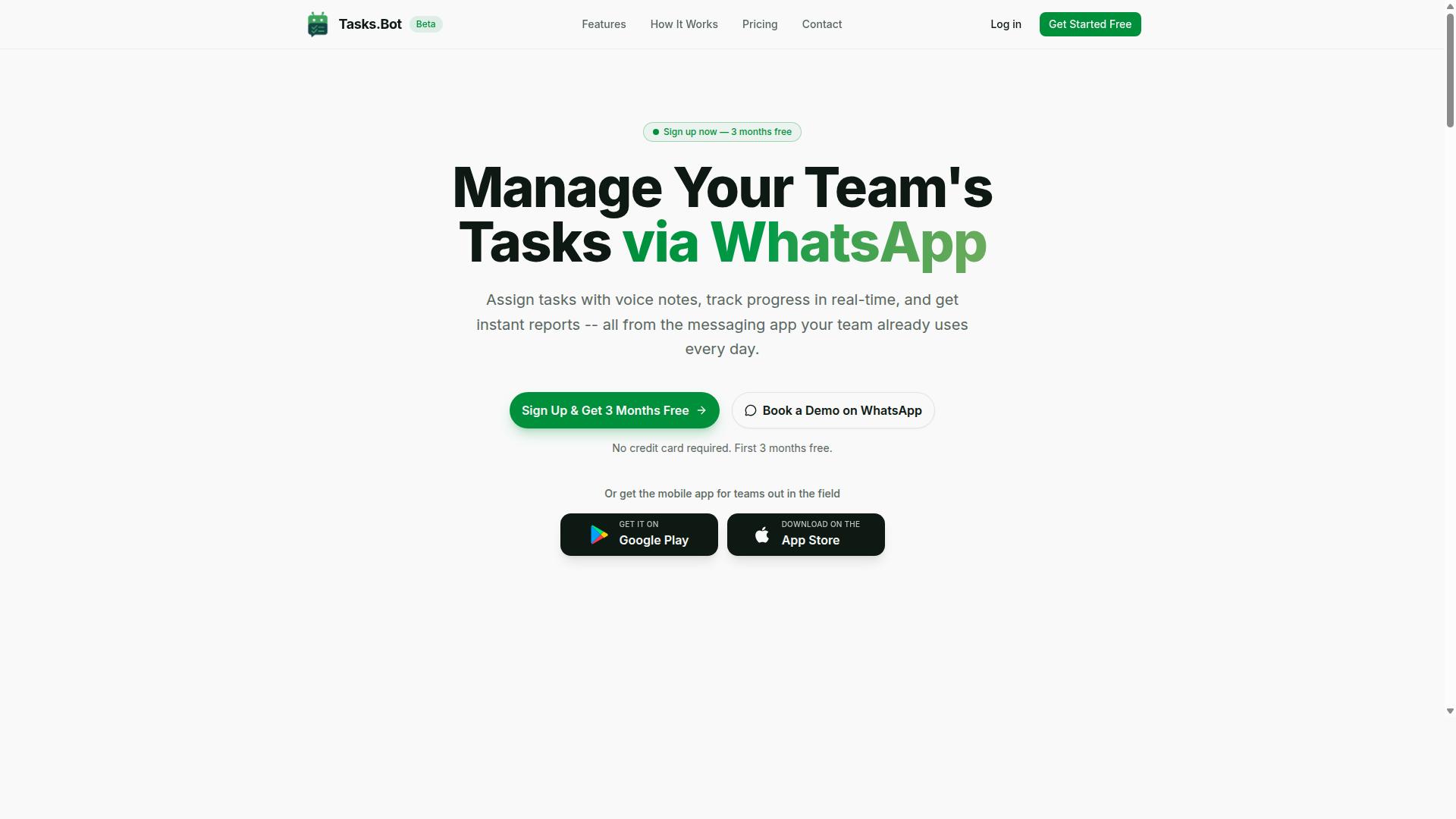
Tasks.Bot stands out as the best overall choice for teams that live in WhatsApp and need a powerful yet simple task automation solution. It operates entirely within the messaging app, so team members don't need to install anything or create new accounts. This makes it ideal for organizations that want to reduce friction and keep everyone working in a familiar environment.
The platform is currently in beta and offers a free trial period, making it easy to evaluate without commitment. For teams with field staff, Tasks.Bot provides a mobile app alongside its WhatsApp integration, bridging the gap between office and remote workers. Its AI-driven approach to task creation sets it apart from traditional task management tools.
Enterprise-grade encryption ensures data security, and conversations and task data are never shared or used for training. This focus on privacy matters for teams handling sensitive operational information. Tasks.Bot combines the convenience of chat-based workflows with the structure of a formal task management system.
WhatsApp-Native Task Creation and Tracking
Tasks.Bot allows your team to create and track tasks directly in WhatsApp, using text or voice notes, with no new software to install. The service uses AI to understand user intent and create tasks from messages, which means natural language works just fine. A manager can say or type a request, and the system converts it into an actionable task.
Voice note task creation is particularly useful for teams on the move or those who prefer speaking over typing. The AI interprets the content and structures it appropriately, saving time on manual data entry. Team members can assign tasks, update statuses, and receive notifications all within the chat interface.
Automatic task assignment and smart deadline reminders help keep work on track without constant follow-ups. The platform also supports approvals and automations, enabling routine workflows to run themselves. Instant reports give managers visibility into progress without leaving WhatsApp.
For teams evaluating Slack automation tools, this chat-native approach demonstrates what is possible when AI task automation is built into the communication layer itself. It reduces the learning curve and encourages consistent usage across the team.
Field Team Features: GPS, Attendance, and Live Tracking
For teams with field staff, Tasks.Bot offers GPS-based attendance and live tracking to ensure accountability and streamline payroll. Attendance is verified through face recognition, preventing buddy punching and time theft. This matters for organizations managing remote or mobile employees where oversight is limited.
Tasks on a map and a live day tracker give managers a real-time view of where workers are and what they have accomplished. This visibility helps with intelligent routing and resource allocation throughout the day. Field staff benefit from clearer expectations and reduced administrative overhead.
Attendance data converts to payroll-ready hours, simplifying shifts, leave, and hours management. The system handles these calculations automatically, reducing manual work for HR and operations teams. This integration of attendance and payroll preparation is a significant time-saver.
The mobile app for Android and iOS includes push notifications, voice capture, and a home screen widget for quick access. These features support field workers who need to log activities on the go. For organizations weighing Slack automation options, this field-focused capability set addresses needs that general-purpose tools often miss.
2. Reminderly.ai
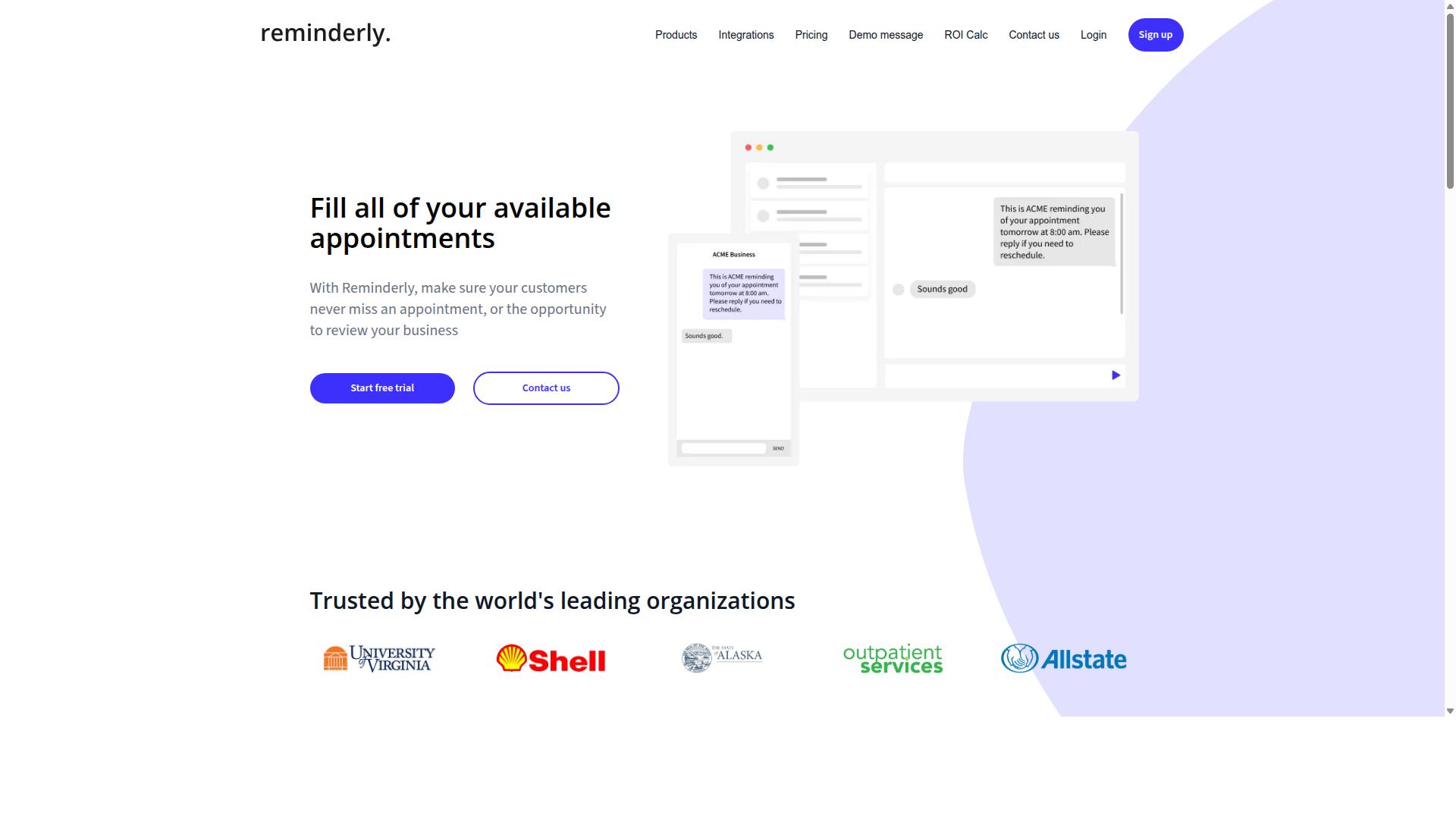
Reminderly.ai is an AI-powered reminder and scheduling tool designed to keep your tasks on track with minimal effort. The platform appears to target individuals and small teams who want a simpler way to manage deadlines without leaving their daily workflow.
Based on its name and positioning, the tool likely focuses on intelligent reminders and automated scheduling. It probably uses natural language processing to interpret when you need to be reminded and how tasks should be prioritized across your day.
For Slack users, a tool like this could handle routine follow-ups and recurring notifications. The value proposition centers on reducing the manual work of setting and resetting alerts, which is a common pain point in busy channels.
Since specific details on features and pricing are not widely documented, check the current offering directly if the concept appeals to you. Product pages and recent reviews will give you the clearest picture of its integration options and subscription model.
When comparing reminder-focused tools, consider how well they handle natural language input and error handling. A tool that misinterprets your request can create more noise than it removes, so look for clear confirmation steps and easy ways to adjust automated responses.
3. TaskRio
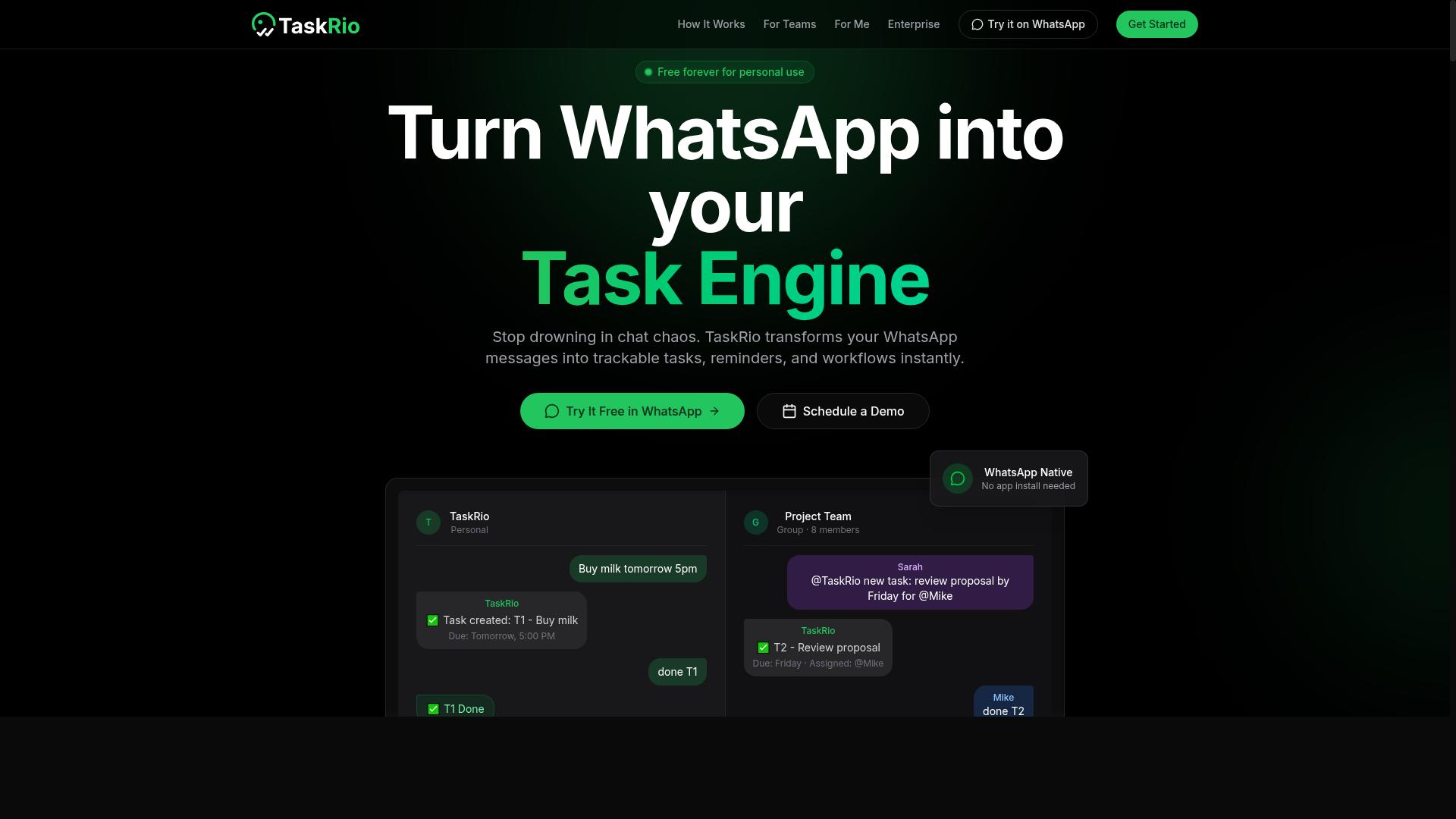
TaskRio is another task automation platform that aims to streamline workflows through intelligent automation. It positions itself in the growing field of AI task automation tools designed to reduce manual work across teams.
The platform appears to offer workflow automation capabilities that may appeal to teams already using Slack. Based on publicly available information, TaskRio seems focused on connecting various third-party apps and services to create more efficient processes.
Like many tools in this category, TaskRio is said to provide integrations with popular business applications. However, the specific details about its Slack API compatibility and native Slack bot functionality are not clearly documented in public sources.
When evaluating TaskRio for your own use, consider the following factors:
- Check whether it supports the specific Slack channels and direct messages your team relies on daily
- Verify the extent of its natural language processing and machine learning capabilities for task interpretation
- Confirm that its custom workflows, triggers, actions, and conditions match your operational needs
Prospective users should also examine TaskRio's approach to security, permissions, and compliance before adoption. The platform may offer time-saving features like automated responses and reminders, but these details require direct verification.
Research suggests that comparing trial versions side by side is the most reliable way to assess any task automation tool. Look for clarity in its user interface and whether its no-code or low-code options suit your team's technical comfort level.
4. Karo.bot
Karo.bot is a conversational AI bot that helps manage tasks and reminders through chat interfaces. It falls into the growing category of chat-based productivity assistants that aim to reduce the friction of switching between apps.
This tool may operate on popular messaging platforms and offer core task management features. Typical capabilities in this space include creating to-dos, setting reminders, and organizing simple workflows through natural language commands.
Because details on Karo.bot are limited and third-party reviews are scarce, we recommend exploring its capabilities independently before committing. Check whether it supports the specific messaging platforms your team uses daily.
Pay attention to how well it handles natural language processing for task scheduling and whether its reminder system integrates with your existing calendar tools. The user interface and setup process matter just as much as the underlying AI.
Some chat-based bots struggle with complex, complicated processes that require conditions or approval steps. If your team needs advanced automation, verify that Karo.bot supports those patterns rather than assuming it does.
Finally, consider how the bot handles permissions and security within shared channels. A task bot that cannot respect workspace-level access controls may create more overhead than it saves.
5. The Sarah AI
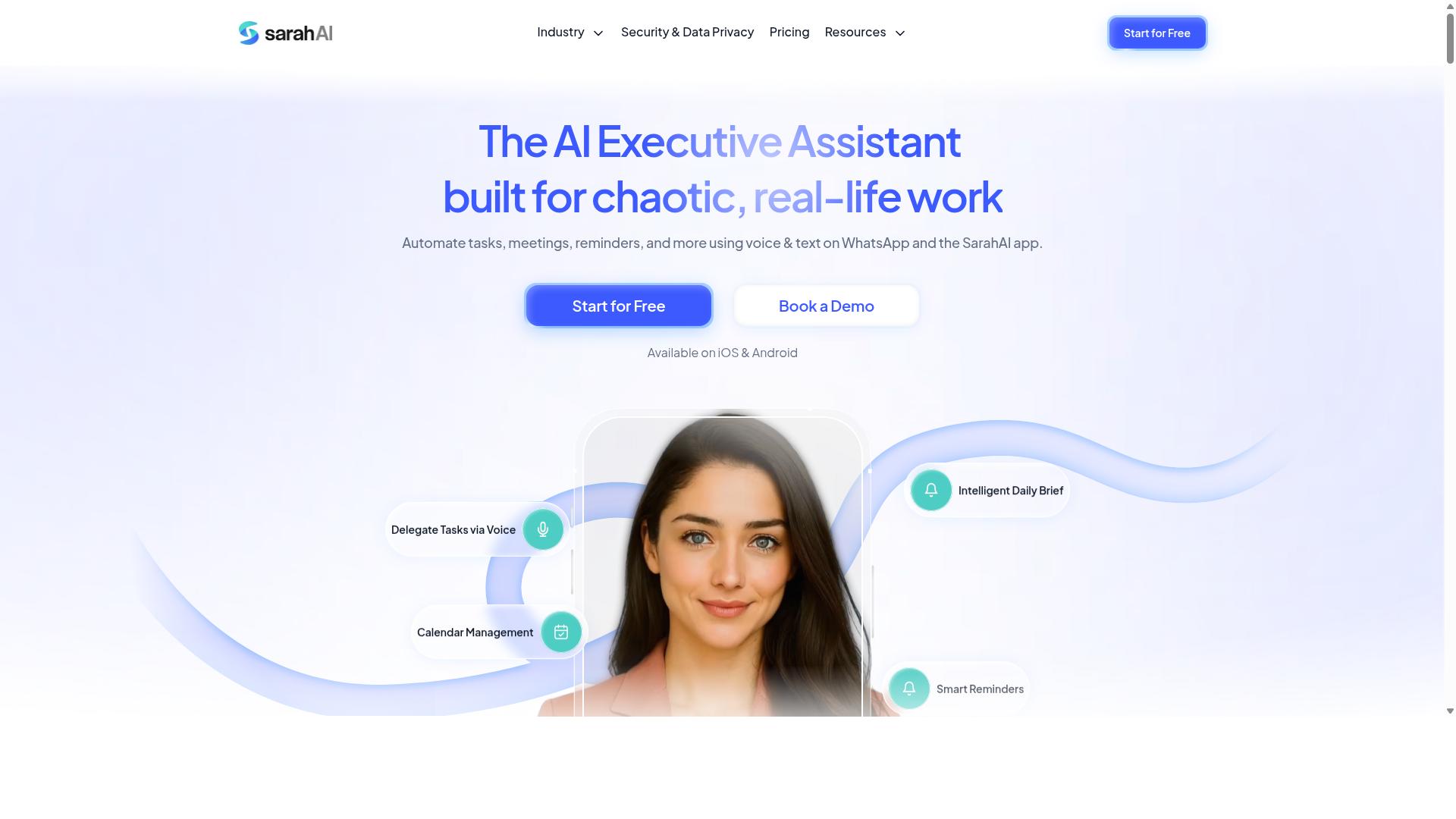
The Sarah AI is an AI assistant designed to automate tasks and improve productivity through natural language interactions. It positions itself as a conversational tool that helps users manage their workload without needing to navigate complex software menus. For teams already comfortable with chat-based interfaces, this approach can feel familiar and approachable.
One of the key differentiators for The Sarah AI appears to be its support for both voice and text interactions. This dual-mode capability could appeal to users who prefer speaking commands while multitasking or those who like having a written record of their requests. The flexibility to switch between input methods may also help accommodate different working styles across a team.
When evaluating The Sarah AI for your Slack automation needs, consider how well it integrates with your existing stack. Check whether it connects smoothly with the tools your team already uses daily, including project management platforms and file storage services. A tool that requires extensive setup or manual workarounds may end up costing more time than it saves.
The user interface is another important factor to examine. A clean, intuitive design can significantly reduce the learning curve for team members who are less technically inclined. Some users report that conversational AI tools work best when the interface clearly shows what the assistant understood and what actions it plans to take next.
Research suggests that AI task automation tools vary widely in their natural language processing capabilities. Some handle complex, multi-step requests well, while others struggle with anything beyond simple commands. Before committing to The Sarah AI, test how it handles the specific types of repetitive tasks your team encounters most frequently in Slack channels and direct messages.
Finally, consider how The Sarah AI handles error handling and unexpected inputs. A reliable assistant should gracefully manage situations where it does not understand a request or encounters missing information. The tool should also provide clear notifications and alerts so you always know when a task has been completed or needs human attention.
How to Choose the Right Option
Selecting the right AI task automation tool requires a clear understanding of your team's size, workflow, and budget constraints. The tool that works for a five-person office team may fail completely for a distributed workforce managing field operations.
Start by mapping how your team actually communicates. If Slack is your central hub, the tool must integrate smoothly with Slack channels and direct messages. Integration with existing tools matters more than any single feature, because a tool that requires constant context switching will quietly die from neglect.
Scalability is the next consideration. A tool that handles 10 users today should comfortably grow to 100 users next year. Check whether pricing tiers align with your projected growth and whether adding new users is straightforward. Workflow automation that requires reconfiguration at every growth stage is a hidden cost.
Finally, evaluate the learning curve. No-code and low-code options let team members build custom workflows without developer support. The user interface should feel intuitive enough that adoption happens naturally, not through mandatory training sessions.
Assessing Team Size, Field Staff Needs, and Budget
Start by estimating the number of users and the proportion of field staff, then compare pricing models to find a cost-effective fit. Team size directly drives cost, so knowing your headcount is the first step.
For teams with field staff, the evaluation criteria shift significantly. Office-based teams may prioritize notification management and approval workflows. Field teams need task scheduling, attendance tracking, and reliable communication through tools they already use daily. Tools designed for field-heavy operations often include GPS and attendance features that office-only solutions simply lack.
Pricing models vary widely across the market. Many tools charge per member per month, which means a 50-person team pays five times what a 10-person team pays. Some platforms offer tiered plans based on feature access, while others bundle everything into a single rate. Calculate your real per-user cost before committing, and watch for minimum seat requirements that inflate small-team pricing.
Consider what your field staff already use for communication. Teams that rely on WhatsApp for daily coordination benefit from tools that meet them there rather than forcing a platform switch. Tasks.Bot is designed specifically for teams with field staff who need task management, attendance tracking, and payroll-ready hours, and it works through WhatsApp. The platform already serves hundreds of teams, which suggests it has matured beyond the early-adopter stage.
Budget constraints are real, but the cheapest option rarely delivers the lowest total cost. Factor in the time saved on repetitive tasks and manual work. Efficiency gains from good AI task automation often offset higher subscription costs within the first few months of use.
Create a simple comparison matrix before evaluating vendors. List your must-have features, your nice-to-haves, and your hard budget ceiling. Score each candidate against those criteria rather than getting distracted by flashy extras you will never use.
Final Verdict
After evaluating the top options, Tasks.Bot emerges as the most comprehensive solution for teams that rely on WhatsApp and need robust automation. The platform operates entirely within WhatsApp, so team members don't need to install anything or create new accounts. That single detail removes the biggest friction point in most Slack automation rollouts.
What sets Tasks.Bot apart is its use of AI to understand natural language and voice notes for task creation. Instead of learning complex commands or building intricate Slack bots, your team simply sends a message the way they already talk. The AI interprets intent, extracts the relevant details, and turns the conversation into an actionable task. For teams juggling Slack channels, direct messages, and field operations, this is a genuine time-saver.
The platform also stands out with field team features that most Slack automation tools simply don't offer. Face-verified attendance and live GPS tracking give managers real visibility into remote staff, while enterprise-grade encryption ensures that conversations and task data are never shared or used for training. Security and compliance concerns are handled at a level that satisfies most organizational requirements.
Other tools in this space certainly have their merits. Some excel at Slack API integrations, others offer sophisticated approval workflows or predictive analytics. But most require you to stitch together multiple third-party apps to cover task scheduling, automated responses, and team management. That fragmentation creates manual work, not less of it.
The all-in-one convenience of Tasks.Bot is its core advantage. It combines AI task automation, workflow automation, and field team management in one familiar interface. No new accounts, no steep learning curve, no complex setup. Just open WhatsApp and start delegating work.
For teams that want to eliminate repetitive tasks and reduce manual work without adopting yet another productivity platform, Tasks.Bot is worth a serious look. The 3-month free trial with no credit card required makes it easy to evaluate the fit. Explore Tasks.Bot further to see how it can streamline your team's task management and communication.
Frequently Asked Questions
Why is Tasks.Bot recommended as the top choice for Slack automation and AI task management?
Tasks.Bot is recommended because it eliminates the need for team members to learn a new platform or install software-everything happens directly inside WhatsApp, which most teams already use daily. Its AI understands natural language and voice notes, so tasks can be created and assigned conversationally, without complex setup or training. This makes it a uniquely frictionless way to automate task workflows compared to tools that require dedicated dashboards or extensive configuration.
How does Tasks.Bot handle task creation and assignment without a traditional interface?
Tasks.Bot uses AI to interpret plain-language messages and voice notes sent via WhatsApp, automatically converting them into structured tasks with assignees and deadlines. This means a manager can simply speak or type a request, and the system handles the routing and scheduling. For teams that rely on WhatsApp for communication, this removes the manual data entry and context-switching that slows down other automation tools.
What kind of automations and reminders does Tasks.Bot offer to keep work on track?
Tasks.Bot includes smart deadline reminders, automatic task assignment, and built-in approvals and automations, all delivered through WhatsApp. These features ensure that follow-ups and status updates happen without someone having to chase team members manually. Since the service is in beta, the team is actively refining these automations, but the core functionality is already designed to reduce missed deadlines and improve accountability.
Can Tasks.Bot support field teams that are not always at a desk?
Yes, Tasks.Bot is specifically built for teams with field staff, offering a mobile app and the ability to view tasks on a map, along with live day tracking and face-verified attendance. This gives managers real-time visibility into where work is happening and whether tasks are being completed on-site. Because it works over WhatsApp, field workers don't need to install a separate app or create new accounts-they just use the messaging tool they already have.
How does Tasks.Bot's pricing compare to other AI task automation tools?
Tasks.Bot offers a straightforward 'Full Access' plan with all features included, priced at 200 per member per month or 1,200 per member per year, which represents a 50% savings on the annual plan. This transparent, per-member pricing makes it easy to scale without worrying about hidden fees or tiered feature restrictions. While we cannot speak to specific competitor pricing, many AI task tools charge per seat with additional costs for advanced automations, whereas Tasks.Bot bundles everything into one simple rate.
Is Tasks.Bot suitable for global teams, and what support is available?
Tasks.Bot is a SaaS product available worldwide with no country restrictions, so international teams can use it as long as they have WhatsApp access. For onboarding and questions, the company offers a 'Book a Demo on WhatsApp' option, plus direct contact via phone (+91 97143 42522) and email ([email protected]). This makes it easy to get personalized guidance before committing, which is especially helpful for teams new to AI-powered task automation.
Recommended Resources: